
Menu
Copy Enye (Ñ ñ) — Small & Big N with Tilde Letter
The enye is the letter Ñ (big) and ñ (small) — an N with a tilde. It is a separate letter in the Filipino and Spanish alphabets, used in names like Niño and Peña and cities like Parañaque. Copy it below in one tap, or type it with Alt + 165 / Alt + 164.
Copied ✓
Copied ✓
Copied ✓
The letters are selectable text, so you can highlight and copy them even if buttons are turned off.
The enye (Ñ/ñ) is the N with a tilde — a distinct Filipino and Spanish letter. Use this free tool to copy-paste Ñ ñ in one tap, get Alt + 165 / 164, Unicode and HTML codes, and learn how to type enye on Windows, Mac, laptop, phone, Word, Excel and Google Docs for names like Niño, Peña and Parañaque.
This page is a free enye copy-paste and typing tool for the letter Ñ / ñ — called eñe, also spelled enie, the “N with tilde.” It gives you the small enye ñ and big enye Ñ to copy in one tap, plus every code and shortcut for the character: Alt + 164 / 165 (CP437), Alt + 0241 / 0209 (ANSI), Unicode U+00F1 / U+00D1, HTML ñ / Ñ, hex F1 / D1, and UTF-8 C3 B1 / C3 91 — and the typing methods for Windows (with or without a numpad), Mac (Option + N), iPhone and Android (long-press N), Microsoft Word (Ctrl + Shift + ~ or n0303 + Alt + X), Excel (=UNICHAR(209/241)) and Google Docs.
It directly answers the searches people make for this letter: enye copy paste, enye small, enye big, enye symbol, enye letter, enye alt code, enye in keyboard, how to type enye in laptop, enye in Word and enye in Excel. The enye also appears in Filipino names and places — Niño, Peña, Muñoz, Iñigo, Parañaque, Las Piñas, Dasmariñas — and belongs to the same accented family as á, é, í, ó, ú, ¿, ¡, all of which you can copy on this page.
What is the enye letter?
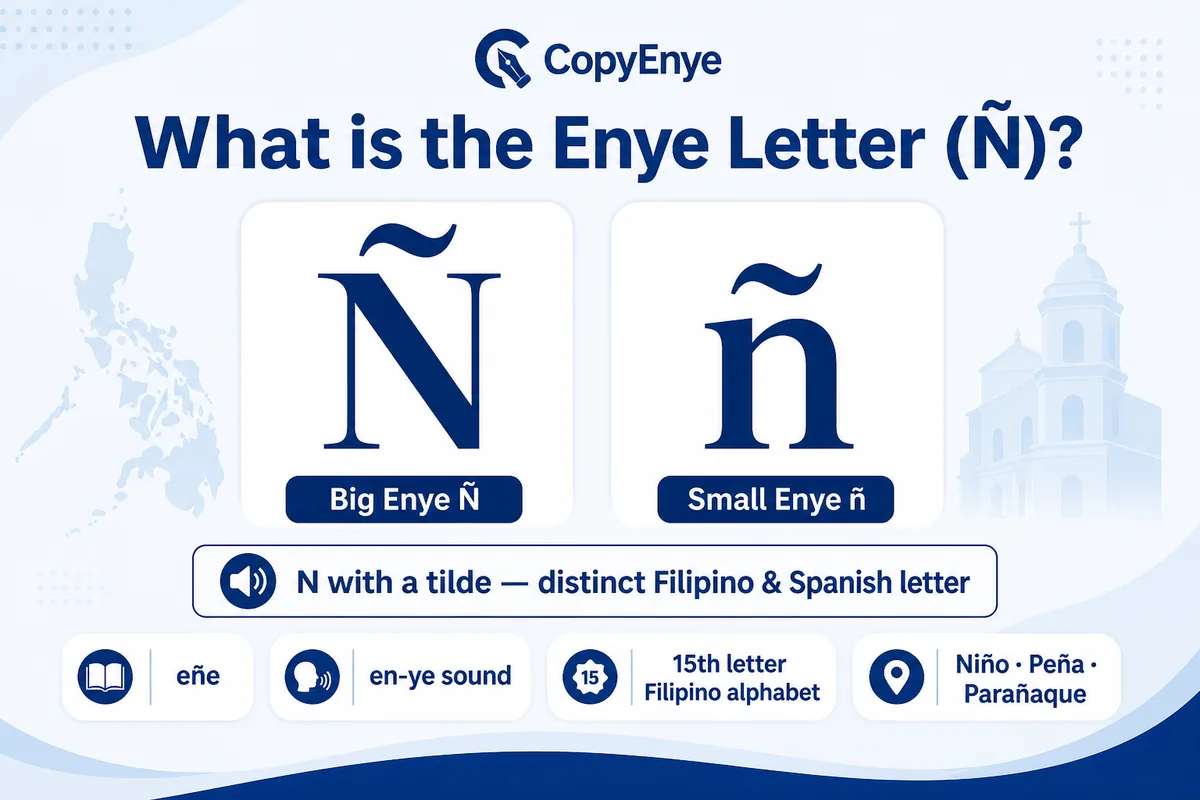
The enye (Ñ capital, ñ small) — called eñe — is the letter N with a tilde (~). It is a distinct letter, not an accented N, in both the Filipino and Spanish alphabets, and it is pronounced “en-ye.” The tilde (Spanish virgulilla) changes meaning: ano (what) vs año (year), and Munoz vs Muñoz.
The enye began in medieval Spain as a shorthand for a doubled nn, became part of the Spanish alphabet in the 18th century, and entered Filipino through three centuries of Spanish influence. Today it is the 15th letter of the Filipino alphabet and represents a palatal nasal sound, like the “ny” in canyon.
What is the enye alt code, Unicode & HTML code?
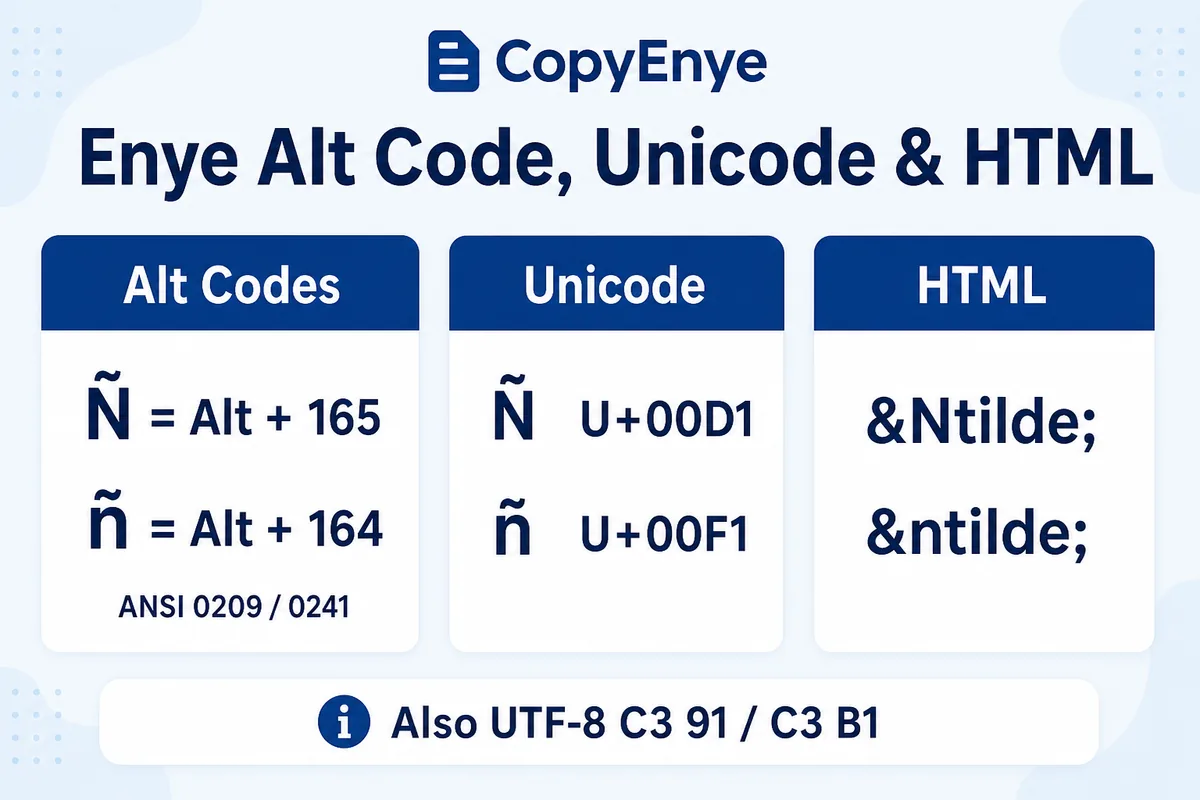
The enye alt code is Alt + 165 for big Ñ and Alt + 164 for small ñ, typed on the numeric keypad with Num Lock on. The ANSI codes are Alt + 0209 / Alt + 0241. In Unicode the enye is U+00D1 (Ñ) and U+00F1 (ñ). Every code format for both cases is in the table below.
| Code type | Big Ñ | Small ñ | |
|---|---|---|---|
| Alt code (CP437) | Alt + 165 |
Alt + 164 |
|
| Alt code (ANSI) | Alt + 0209 |
Alt + 0241 |
|
| Unicode | U+00D1 |
U+00F1 |
|
| HTML entity | Ñ |
ñ |
|
| HTML numeric | Ñ |
ñ |
|
| Decimal / Hex | 209 · D1 |
241 · F1 |
|
| UTF-8 | C3 91 |
C3 B1 |
|
| CSS escape | \00D1 |
\00F1 |
|
| JS / JSON | \u00D1 |
\u00F1 |
Need the full reference with usage notes? See enye alt codes & Unicode.
How do you type enye on a keyboard?
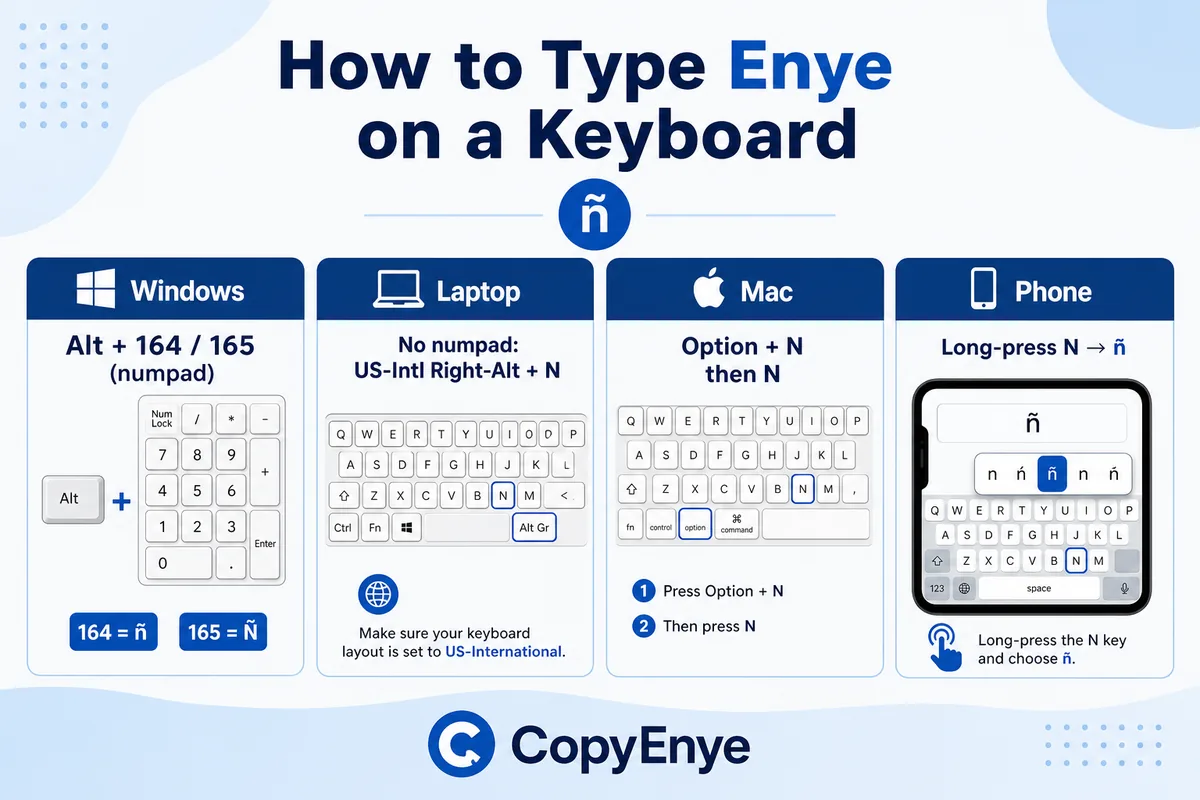
On Windows, hold Alt and type 165 (Ñ) or 164 (ñ) on the numeric keypad. On Mac, press Option + N, release, then N (or Shift + N). On iPhone and Android, press and hold N and choose ñ from the popup. Full steps for every device are below.
Windows — with a numeric keypad
- Turn Num Lock on.
- Hold Alt and type 165 (Ñ) or 164 (ñ) on the numeric keypad — the top number row won’t work.
- Release Alt. (ANSI: 0209 / 0241.)
Windows laptop — no numpad
- Character Map: press the Windows key, type
charmap, find Ñ, Select, Copy. - US-International layout: add it in Settings → Time & Language, then press Right-Alt + N.
- On-Screen Keyboard: Win + Ctrl + O.
- Fn keys on many Dell / HP / Acer laptops: Fn + Alt + 164.
- If shortcuts fail, check that Sticky Keys and Filter Keys are off (Settings → Ease of Access → Keyboard).
For the complete per-device and no-numpad guide, see enye shortcuts.
Mac / MacBook
- Press Option + N, release, then N for ñ or Shift + N for Ñ.
- Or press and hold N and pick ñ from the popup.
Linux / Ubuntu
- Press Ctrl + Shift + U.
- Type 00D1 (Ñ) or 00F1 (ñ), then space.
iPhone, iPad & Android
- Press and hold the N key on the on-screen keyboard.
- Slide to or tap ñ / Ñ in the popup. (If it doesn’t appear, enable Filipino or Spanish in keyboard settings.)
How do you type enye in Word, Excel & Google Docs?
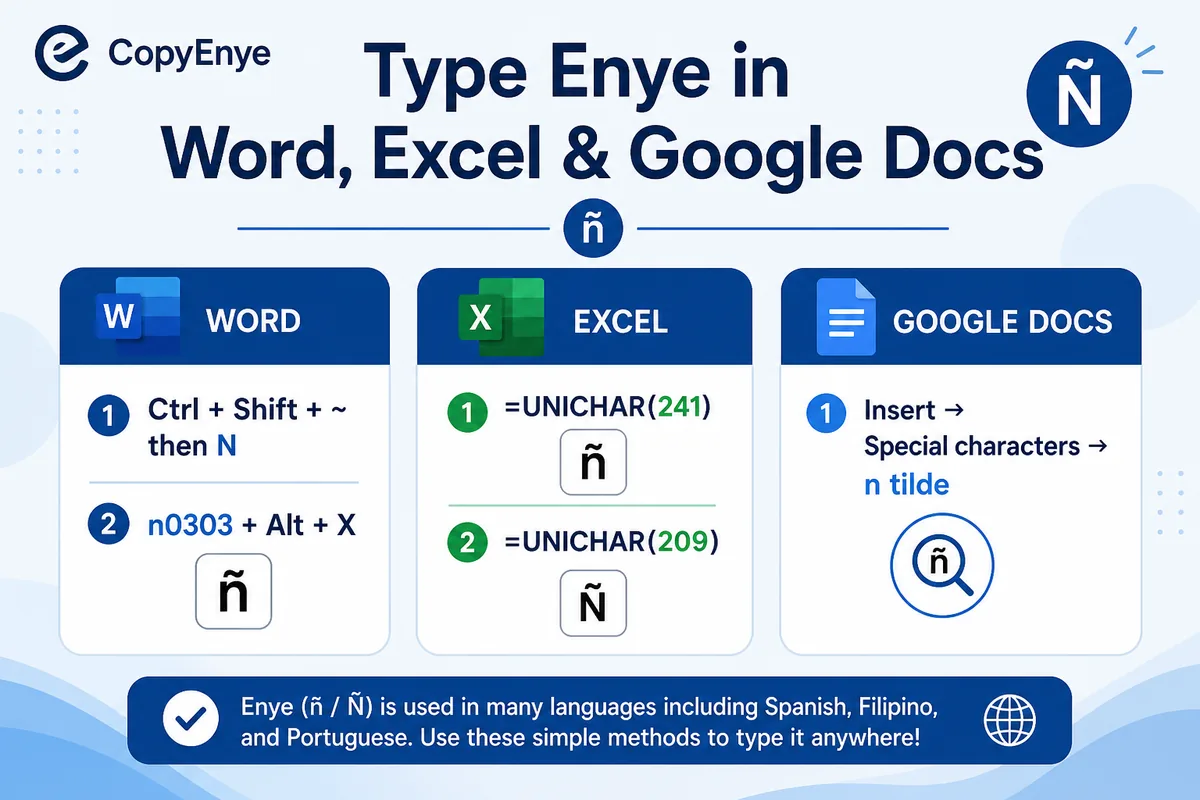
In Microsoft Word press Ctrl + Shift + ~, release, then N (or Shift + N) — or type n0303 and press Alt + X. In Excel use =UNICHAR(209) for Ñ and =UNICHAR(241) for ñ. In Google Docs use Insert → Special characters and search “n tilde.”
Seeing ñ instead of ñ? That’s a UTF-8 vs Windows-1252 encoding mismatch — re-open or save the file as UTF-8. More in enye in Word, Excel & Docs.
Why doesn’t my keyboard have an ñ key?
Keyboards sold in the Philippines use the US QWERTY layout, built for the 26-letter English alphabet, so ñ has no dedicated key. That’s why Filipinos type the enye with Alt codes, the Character Map, or copy-paste. It also matters for sound: Niño is “NIN-yo,” not “Nin-o” — dropping the tilde changes both spelling and pronunciation.
Filipino & Spanish names and places that use enye
The enye appears across Filipino names and places — and on official documents, where Muñoz and Munoz are different names. Copy any of these:
ñPeña
ñMuñoz
ñEspaña
ñParañaque
ñLas Piñas
ñDasmariñas
ñIñigo
ñDoña
More Spanish & Filipino special characters to copy
The enye belongs to a family of accented characters used in Filipino and Spanish. Copy any of them the same way:
éé
íí
óó
úú
üü
¿¿
¡¡
Questions about the enye letter
What is the enye letter?
The enye (Ñ/ñ), called eñe, is the letter N with a tilde — a distinct letter in the Filipino and Spanish alphabets, pronounced “en-ye,” not an accented N.
What is the alt code for enye?
Hold Alt and type 165 for capital Ñ or 164 for small ñ on the numeric keypad (Num Lock on). ANSI: 0209 / 0241.
How do I type enye on a laptop without a number pad?
Use the Character Map (Windows key → charmap), the US-International layout (Right-Alt + N), the On-Screen Keyboard (Win + Ctrl + O), or Fn + Alt + 164 on many laptops.
How do I type enye on a phone?
On iPhone and Android, press and hold the N key and select ñ or Ñ from the popup that appears.
Why is ñ important in Filipino names?
Because Muñoz and Munoz are different names. Passports, birth certificates and other official documents require the correct ñ, and omitting it has caused real legal problems.
What is the tilde over the N called?
The “~” mark is called a tilde (Spanish virgulilla). Historically it stood in for a second N, so año came from Old Spanish anno.